
Meet Your AI-Powered QA Team
Five AI agents. One human lead. Enterprise web UI test automation that actually keeps up with your release cycle.
Your dev team has already made the leap. They’re using AI to write code faster, ship features faster, and push releases faster than ever. The output has accelerated — and so has the pressure on everyone downstream.
Now look at your QA team.
They’re still using the same tools. The same processes. The same spreadsheets, the same manual test case updates, the same Playwright scripts maintained by hand across releases. The response to “dev is shipping faster” has been one of two things: add more people, or bolt AI accelerators onto the existing workflow and hope it keeps up.
Adding people doesn’t scale. You know this. Every new hire means onboarding time, management overhead, and the risk that they leave in 18 months with all the project knowledge they’ve accumulated. A team of 30 doesn’t produce 50% more than a team of 20 — it produces maybe 30% more, plus coordination tax.
And the bolt-on AI tools? They generate tests fast, which is great for the demo. But your enterprise app ships a real release and suddenly those generated tests are stale, the coverage gaps are invisible, and your team is back to manually figuring out what broke and why. You’ve added a tool to the pile. You haven’t changed the game.
Here’s a different idea.
What if instead of adding more people to the team or more tools to the stack, you built an AI-powered team around your best QA analyst? Not a copilot. Not an assistant. A full team of specialized AI agents that your analyst leads — handling the mechanical 80% of every testing cycle while your person focuses on the judgment calls, the domain expertise, and the decisions that actually determine whether your test suite catches real bugs.
Think of it less like a new tool and more like a force multiplier. Your most experienced QA person, equipped with an AI team that executes at their direction, covering the ground that used to require a roomful of people.
That’s what we built. Starting with the layer that hurts the most: web UI end-to-end testing.
Starting Where It Hurts Most: Web UI Testing
Let’s be specific about scope. This system is built for web UI end-to-end testing using Playwright. Not API testing. Not load testing. Not mobile. Web UI.
Why start here? Because for most enterprise applications, the web UI is where the pain concentrates:
It’s the most visible layer — when the UI breaks, users see it immediately and stakeholders hear about it within the hour
It’s the most fragile layer — a CSS change, a renamed button, a restructured form can break dozens of tests that were passing yesterday
It’s the most expensive to maintain — UI test scripts are tightly coupled to the application surface, and every release potentially invalidates selectors, flows, and assertions
It’s where manual testing time accumulates — your team spends more hours clicking through screens and verifying visual flows than on any other test type
This is the starting point. The architecture is designed to expand into other testing layers over time, but right now, the focus is solving web UI E2E testing for enterprise apps — and solving it properly.
What It Is
An AI-powered virtual QA organization — five specialized agents that mirror how a real testing team works. It runs inside your development environment, operates on your codebase, generates real Playwright test scripts, and is led by a human analyst who makes every critical decision.
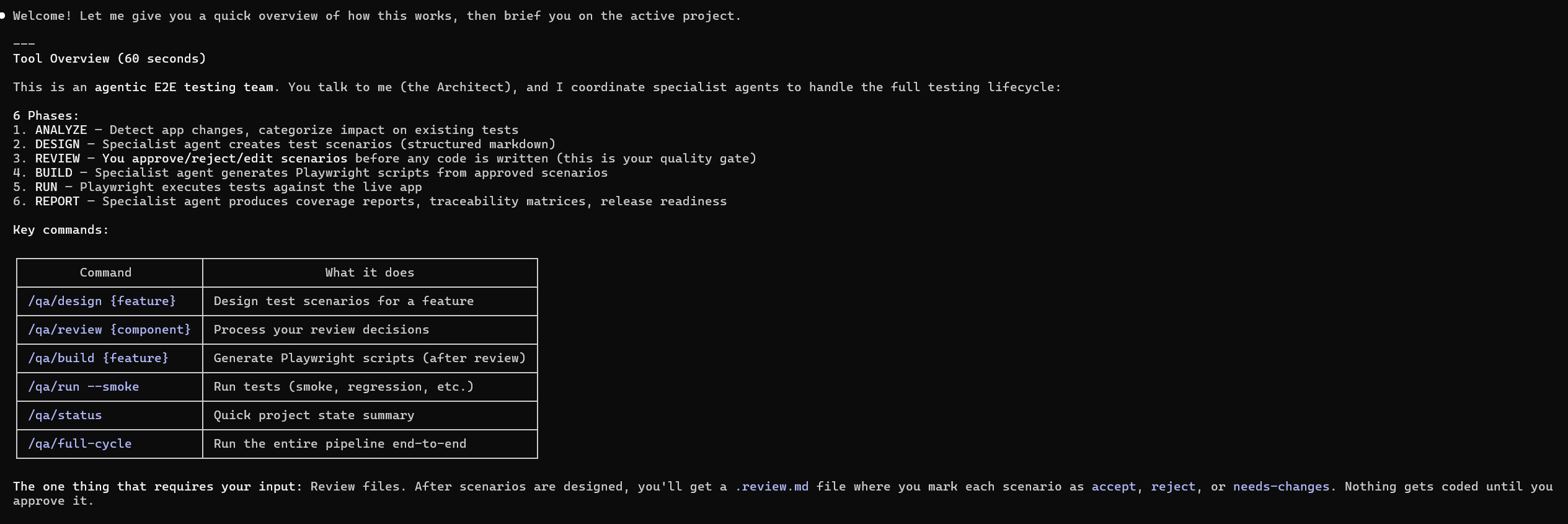
The Architect — the coordinator. It knows your project state, your active test version, your test history, and what needs to happen next. When you say “new release landed,” the Architect figures out the downstream impact and orchestrates the response.
The Scenario Designer — your test case writer. Given a feature, a set of changes, or a component to cover, it proposes structured test scenarios: user flows, validation points, edge cases. It doesn’t decide what gets tested. It proposes. Your analyst reviews and approves every scenario.
The Script Engineer — translates approved scenarios into real Playwright test scripts. Selectors, page objects, assertions, configuration. It inherits scripts from previous versions so you’re not rebuilding from scratch every release.
The QA Validator — internal quality gate. Before anything reaches the human, it checks scenarios for completeness and scripts for structural integrity. The automated peer review before the human review.
The QA Reporter — analyzes results and writes stakeholder-ready reports. It triages failures into categories — real bug, flaky test, environment issue, test maintenance — using historical data and the version manifest to make that call.
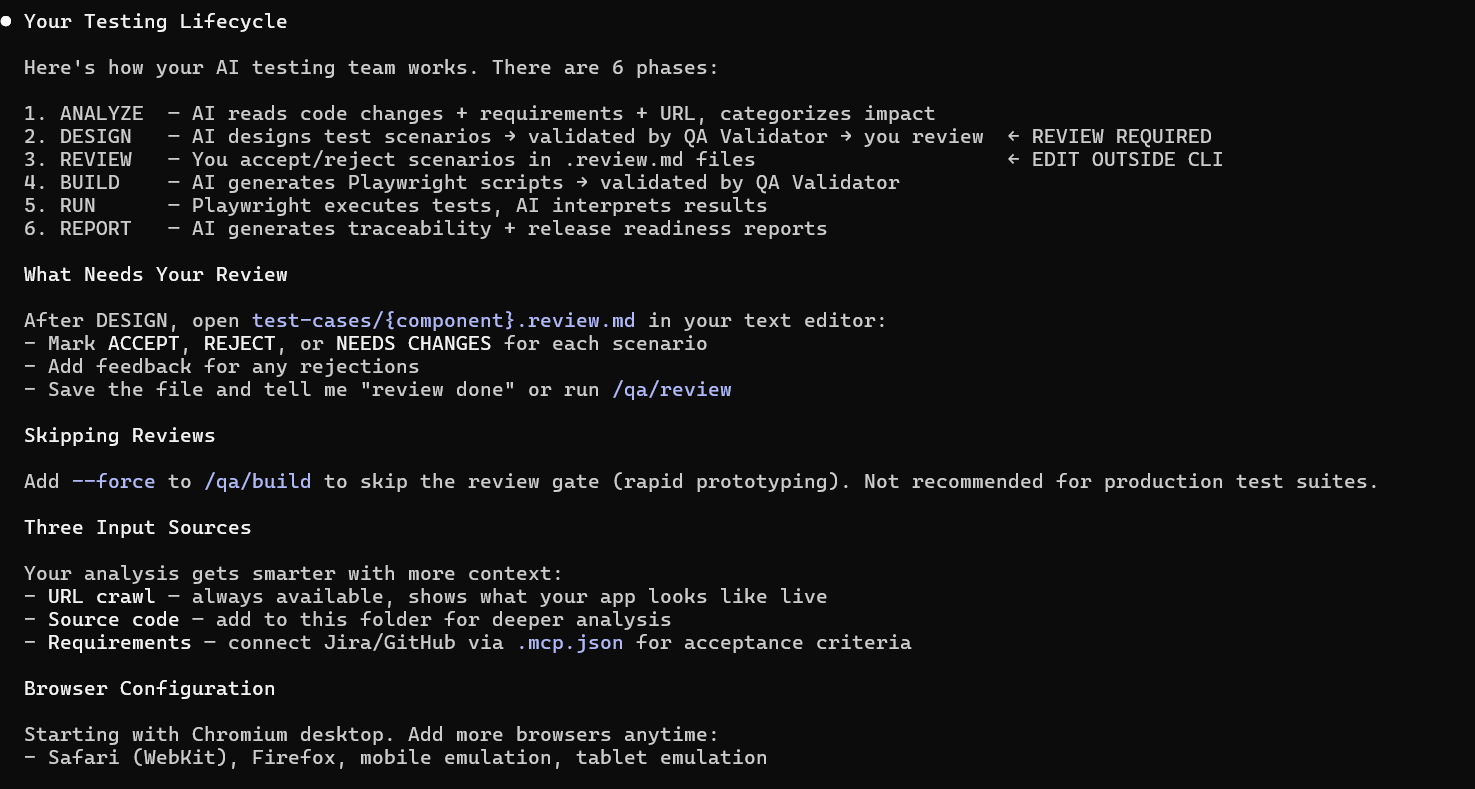
The Human Is Always in Control
This matters. Especially if you’re a QA manager responsible for a crown jewel application. You need to know exactly what the AI can and can’t do without your person in the seat.

Here’s the control model:
Nothing gets tested without human approval. The Scenario Designer proposes test cases. Every single one goes through a review gate. Your analyst accepts, rejects, or requests changes. A scenario that isn’t explicitly approved never becomes a test script. The AI suggests — the human decides.
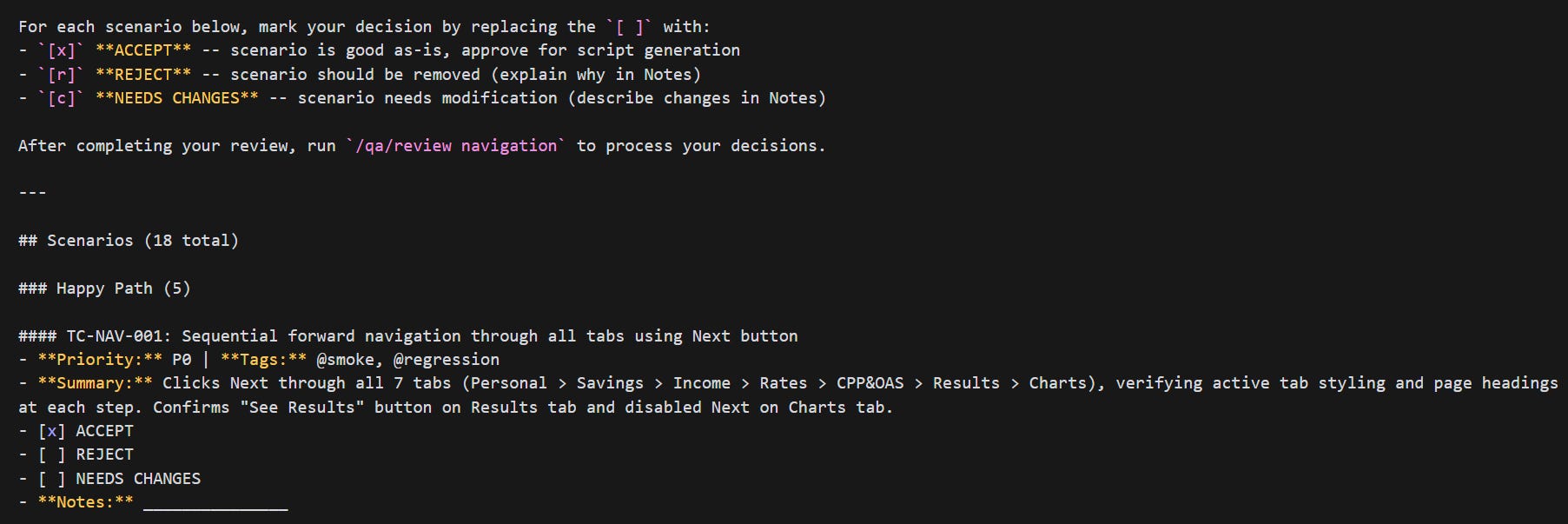
The human can override anything. If the AI categorizes a failure as “flaky” and your analyst disagrees, the analyst’s call wins. If the AI proposes an edge case that doesn’t apply to your business context, the analyst rejects it. If the impact analysis says a component is unaffected and the analyst knows better, the analyst flags it for review anyway.
Human-authored content is protected. When your analyst writes a scenario from scratch or modifies an AI-proposed one, that work is tagged as human-authored. During future regeneration cycles, the system will not overwrite human contributions. Your senior tester’s carefully crafted edge case survives every future release — the AI works around it, not over it.
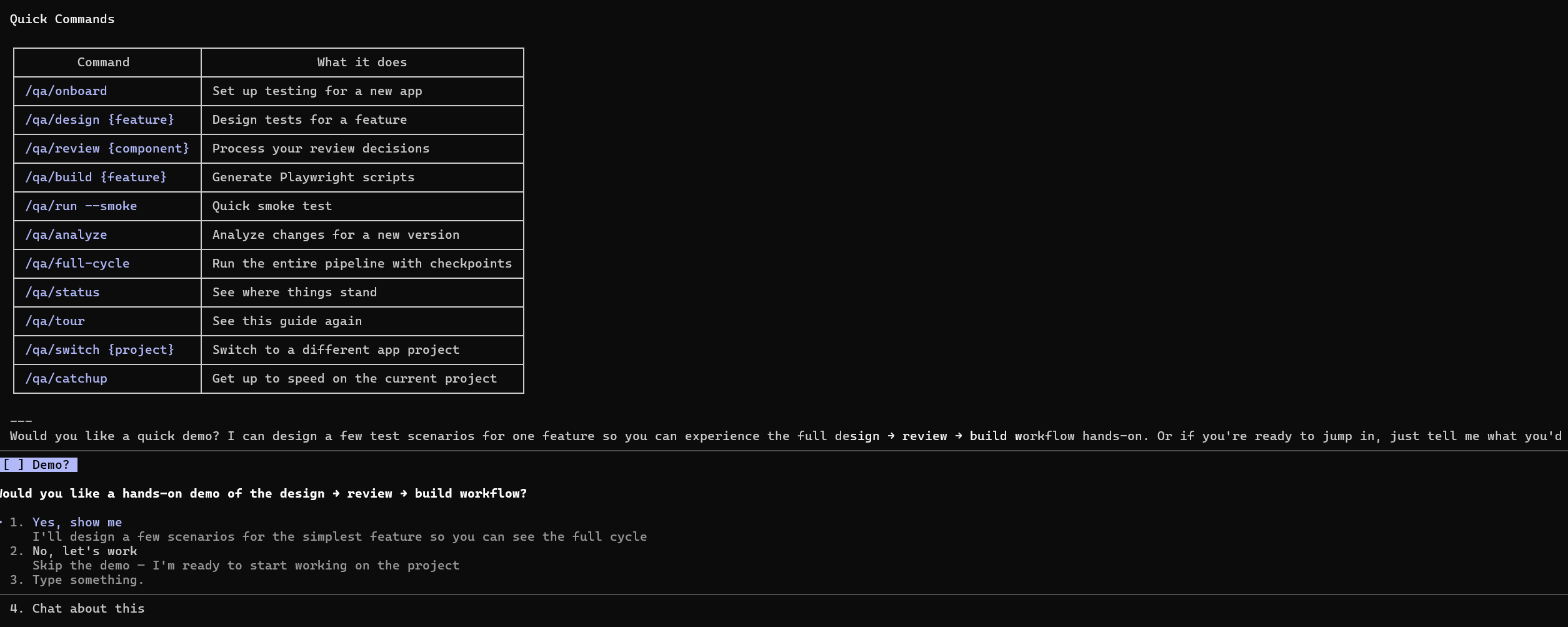
The AI doesn’t execute without a command. There’s no background automation, no autonomous test runs, no silent changes. Every action in the system — analyze, design, build, run, report — is triggered by the analyst through explicit commands. The analyst controls the pace, the scope, and the sequence.
Full traceability from requirement to result. Every test scenario traces back to the requirement it validates. Every script traces back to the scenario it implements. Every failure traces back to the component and the change that caused it. Your analyst can follow the thread from a failed test all the way back to the Jira ticket — and so can your stakeholders.
This isn’t “let the AI handle testing.” This is “give your best analyst an AI team that does what they say, when they say it, and explains its work.”
What It’s Good For
Enterprise web applications with real release cycles. The kind of application that has BAU releases, cross-application programs, and project-specific enhancements all landing in the same quarter. An app that’s been in production for years and will be in production for years to come.
QA teams that are stretched. You have 20 people and you need the output of 35. You’re not looking for a tool that generates tests once — you need something that keeps up with the ongoing cycle of analyze, design, build, run, report, repeat.
Test suites that need to survive across releases. This isn’t “generate 50 tests and throw them away next sprint.” The architecture versions your test suites. Release 2 inherits from Release 1. Only the changed tests get rebuilt. Your suite accumulates knowledge over time — it doesn’t start over.
Teams where domain knowledge matters. Your best tester knows that the premium calculator breaks for pre-2001 vehicles in Quebec. No AI figures that out by crawling the UI. This system is designed so that human expertise flows into the test suite through review gates, direct scenario authoring, and structured domain knowledge files — and once it’s in, the system protects it.
The Art of the Possible
Here’s where it gets interesting. These are real workflows the system supports.
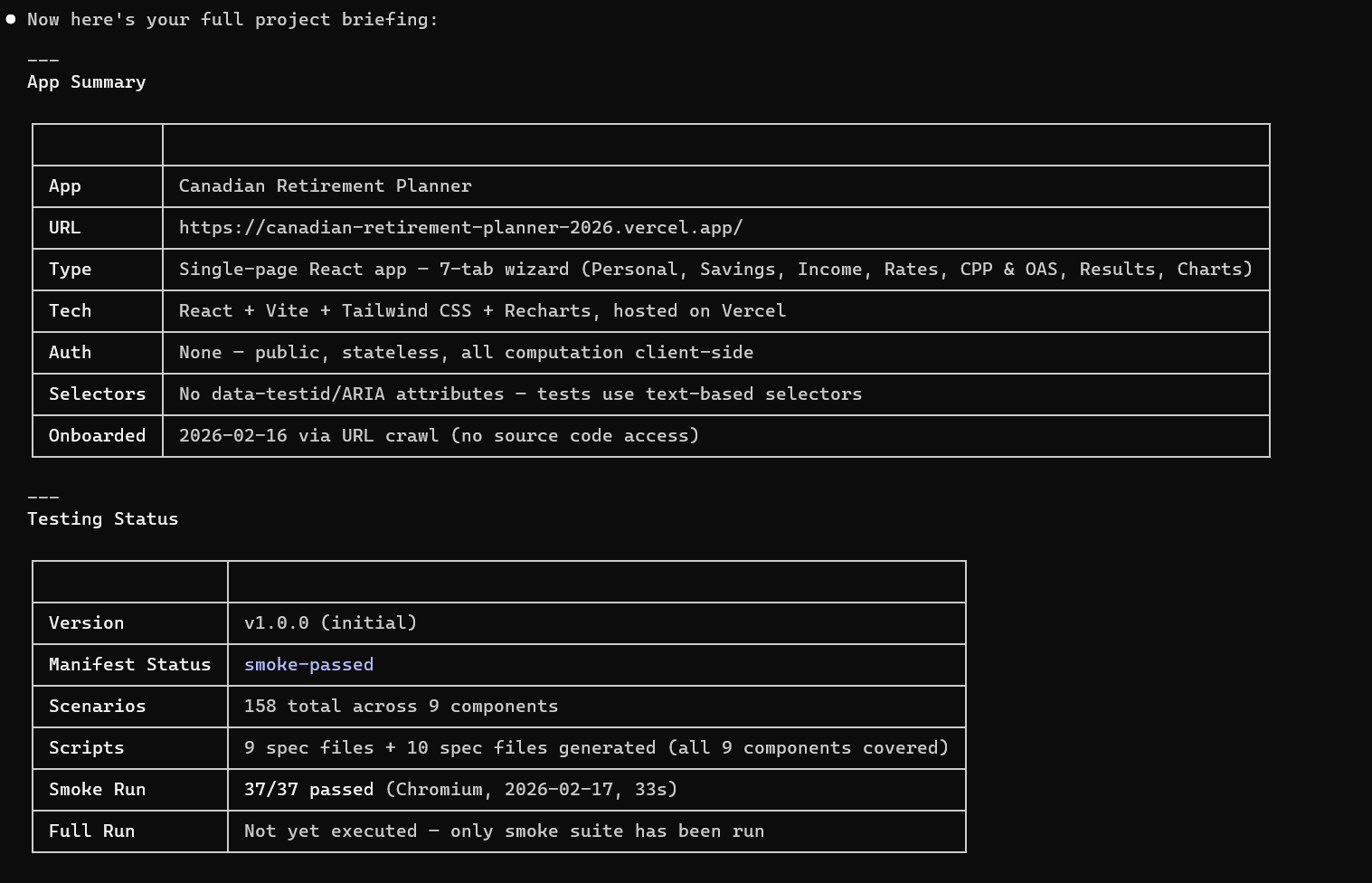
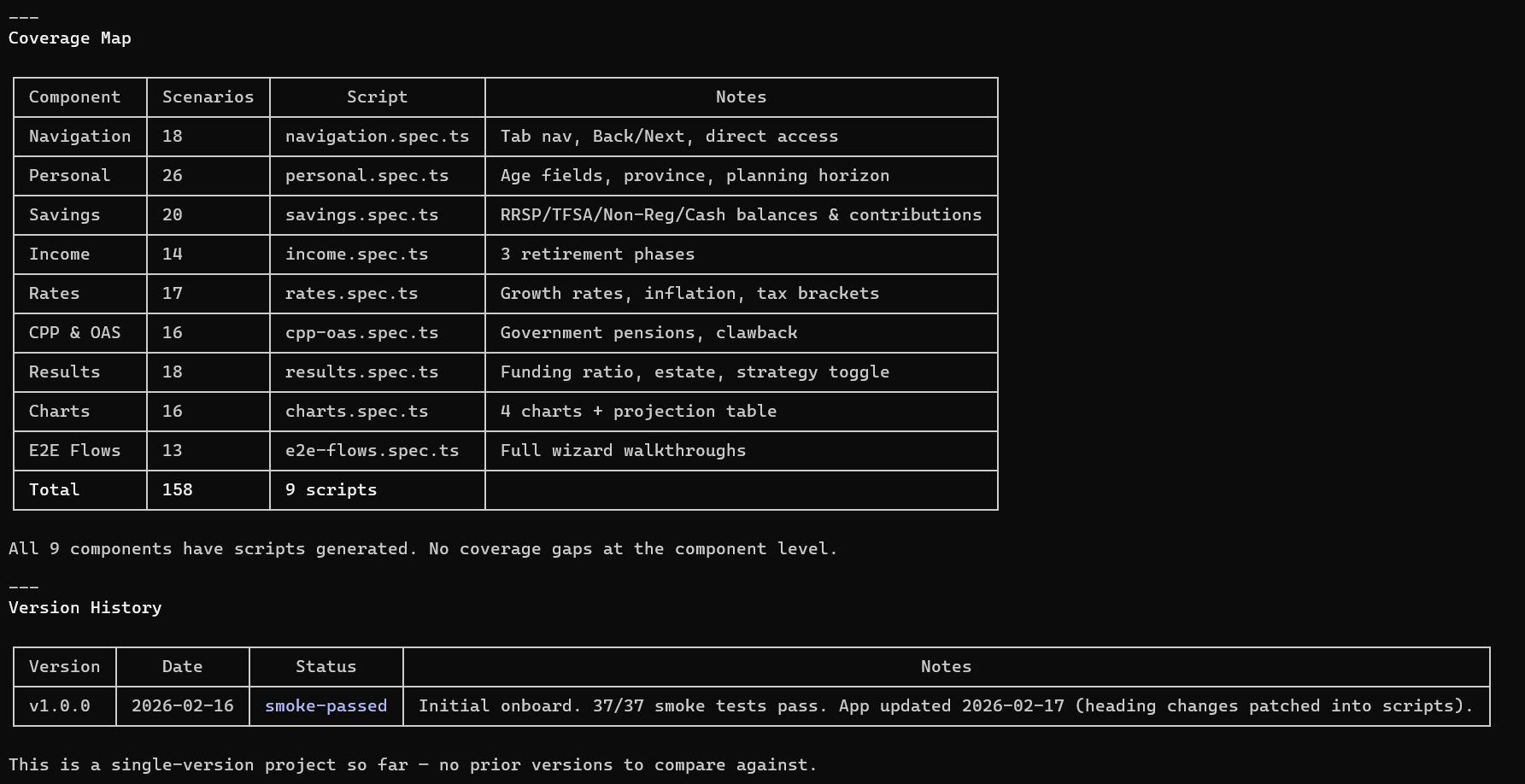
A New Release Lands. Your Analyst Handles It in Hours, Not Days.
A sprint closes. 14 Jira tickets, 6 UI components touched. Your analyst kicks off the impact analysis. In minutes, the system maps every change to the existing test suite:
8 tests flagged MUST UPDATE — their user flows were directly affected
5 tests flagged CHECK — possibly affected, needs review
107 tests UNAFFECTED — carried forward automatically, no rework
The Scenario Designer updates the 8 affected scenarios and proposes 4 new ones for the new features. Your analyst reviews only the changes — not the entire suite. Accepts 11, tweaks 1. The Script Engineer rebuilds only those 12 Playwright scripts. Everything else is inherited.
Total analyst time: a few hours of focused review instead of days of mechanical rework.
Your Dashboard Stops Lying to You
Release 6. You have 120 UI tests. 8 are known to be flaky — timing issues on modals, slow-loading components, environment quirks. In a traditional setup, those 8 pollute every test run. Your pass rate bounces between 89% and 94% and nobody trusts the number.
With annotations, those 8 tests are marked @known-flaky. The system retries them automatically. Their results are excluded from pass-rate trends. Your dashboard shows the real signal: stable improvement over the last 4 releases, with the flaky noise filtered out.
3 more tests are blocked by open defects. They’re marked @blocked with the ticket number. Automatically skipped until the defect is resolved. No manual intervention, no forgotten workarounds.
Someone Leaves. Knowledge Doesn’t Walk Out the Door.
Your senior analyst who’s been on the project for 3 years takes another role. In a traditional team, that’s 3 months of institutional knowledge gone. The replacement spends weeks figuring out what’s tested, what’s flaky, what the edge cases are, and why certain scenarios exist.
With this system, the new analyst runs a catchup command. They get the full project state: what’s tested, what’s changed recently, what’s annotated, what the pass-rate trends look like. The departing analyst’s domain knowledge is embedded in the test suite itself — in the scenarios they authored, the edge cases they added, the annotations they placed. The handoff takes a day, not a month.
One Analyst Covers What Used to Take a Small Team
Your analyst sits down Monday morning. Instead of spending 4 hours reading Jira tickets to figure out what changed in the UI, the impact analysis has already mapped it. Instead of spending 3 hours writing Playwright scripts for happy-path scenarios, the Script Engineer drafts them. Instead of spending 2 hours triaging 30 failures into “real bug vs. flaky vs. environment,” the results analysis does the first pass.
Your analyst’s time goes to: reviewing AI-proposed edge cases (and adding the ones it missed), deciding if a failure pattern is a real regression or a known quirk, and injecting the domain knowledge that turns a generic test suite into one that actually catches the bugs that cost money.
One person, with an AI team behind them, covering ground that used to require multiple people.
Your Test Suite Becomes a Living Asset
By Release 10, your test suite has 200+ Playwright scenarios. It has version history. It has institutional memory. It knows which tests are stable, which are flaky, which are blocked. It tracks what changed between every release and why. It carries forward human-authored edge cases and protects them from being overwritten during regeneration.
A new UI component gets added? Onboard it. An API contract changes that affects the frontend? The impact analysis flags every affected test. The suite doesn’t degrade over time. It compounds.
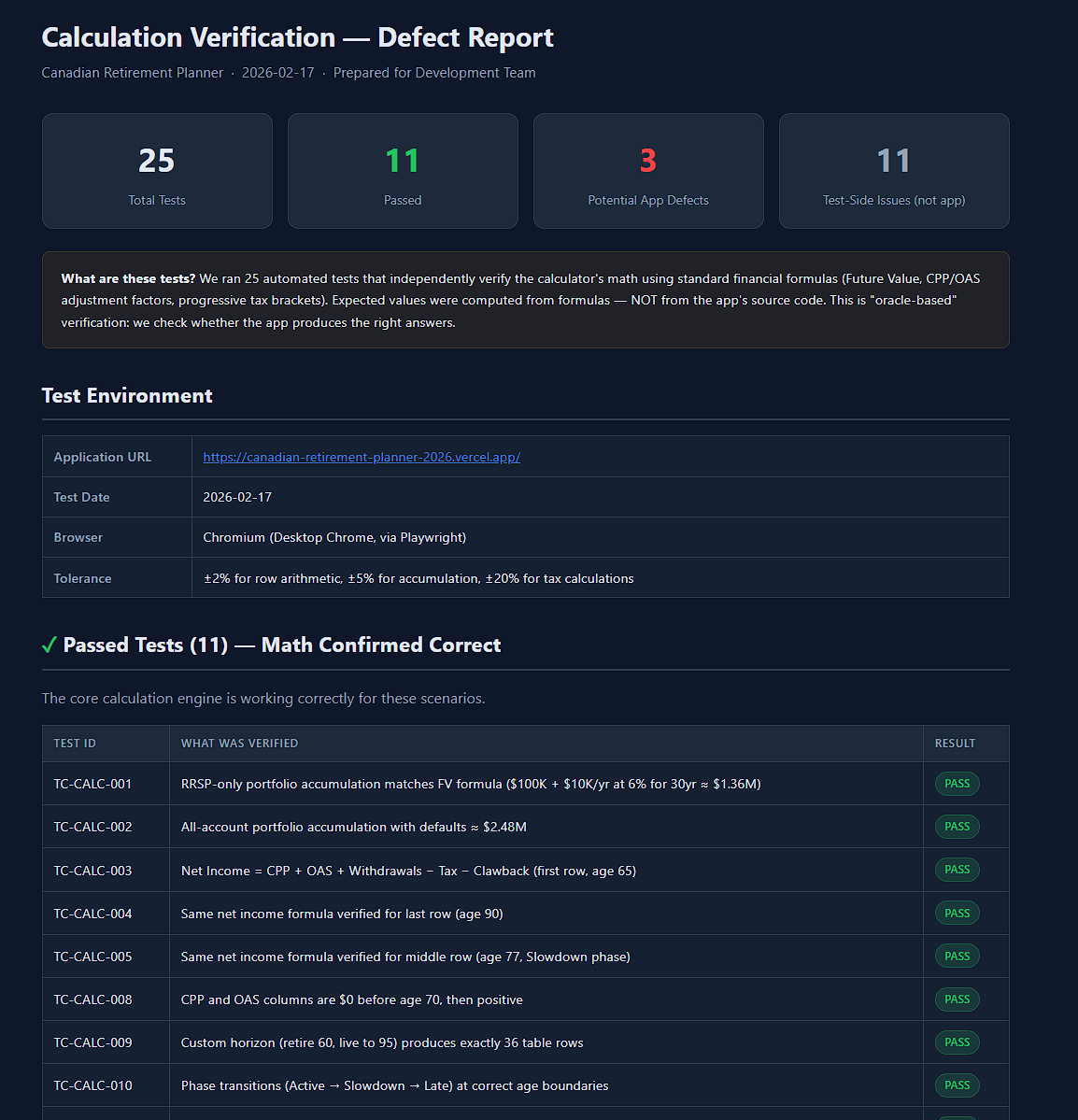
What It Doesn’t Do
It doesn’t replace QA judgment. Every scenario goes through human review. Every critical decision is made by the analyst. The AI proposes — the human disposes.
It doesn’t discover your business rules. The AI generates standard UI coverage — happy paths, form validations, typical user flows. The edge cases that catch real production bugs come from your people.
It doesn’t run itself. This isn’t “point an AI at your app and walk away.” It needs a capable lead — someone who knows the application, understands QA, and makes the judgment calls.
It doesn’t cover everything yet. This is web UI E2E testing with Playwright. Not API testing, not performance testing, not mobile. It’s a focused starting point for the most visible, most painful testing layer. The architecture is built to expand, but today, this is the scope.
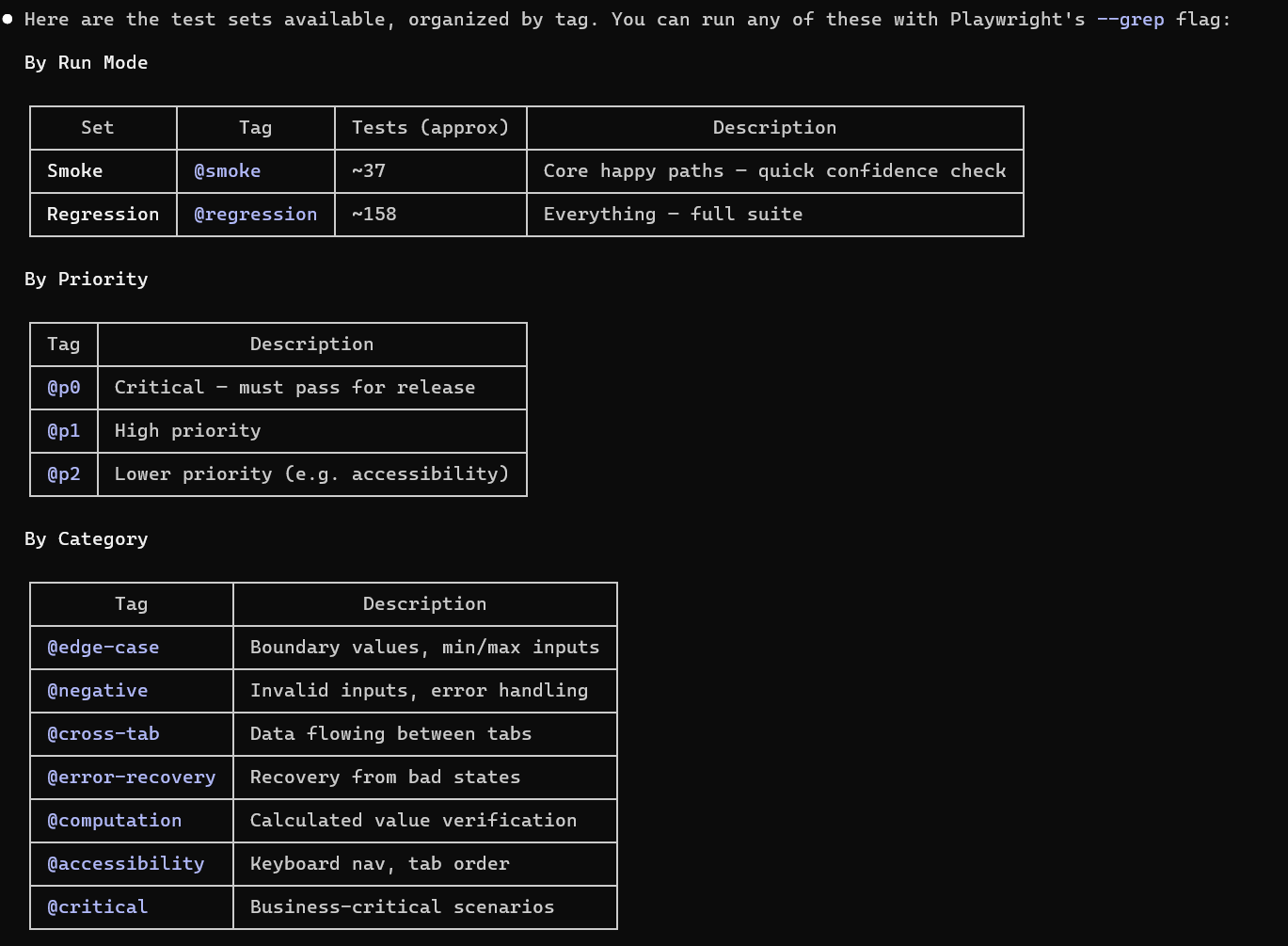
Where This Is Headed
We’re actively building toward:
Domain knowledge files — structured documents where analysts capture business rules and edge-case triggers that feed directly into test design
Test oracle data — reference tables (rate calculations, eligibility matrices, tax brackets) that the AI validates against rather than guesses
Provenance tracking — every scenario and expected result tagged with its source (AI-generated, human-authored, human-modified) with rules that prevent the AI from overwriting human contributions
Expanded test layers — API testing, accessibility testing, and other layers beyond web UI
The principle driving all of it: human expertise is the most valuable input to the system. Everything we build should amplify it, preserve it, and protect it.
See It in Action
If you’re managing a QA team on an enterprise web application — real releases, real complexity, real stakes — this was built for your world.
We’re looking for QA teams who want to see what one analyst with an AI testing team behind them can actually deliver. No fluff, no demos on toy apps. Your application, your release cycle, your edge cases.
Interested? Let’s have a conversation.